Libre Panel
Deutsch GitHub Download

New in 0.7: up to four panels at once, companion screens, AI activity and 35 modules What's new

Your PC's vitals as moving light.

Libre Panel drives the small USB system-monitor panels sold as TURZX, Turing Smart Screen, WeAct, Kipye and more, up to four at once: your processor, graphics card, fans, network, what is playing and the weather, at up to 50 frames a second. It works out of the box: the downloads carry what the features run, and the setup does the rest after one question. Free and open source, for Windows and Linux, without an account or a cloud.

The latest release·portable zip·tarball·all releases·GPL-3.0

This page describes 0.7.1, which is being finished; the latest release is 0.7.0 (what 0.7.1 brings).

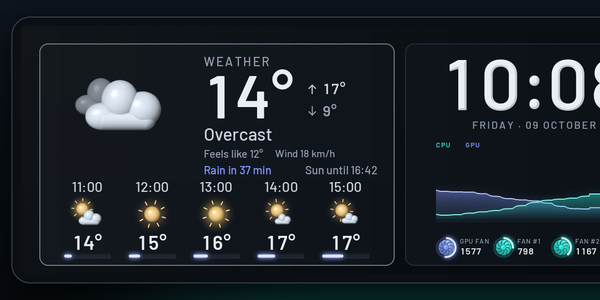
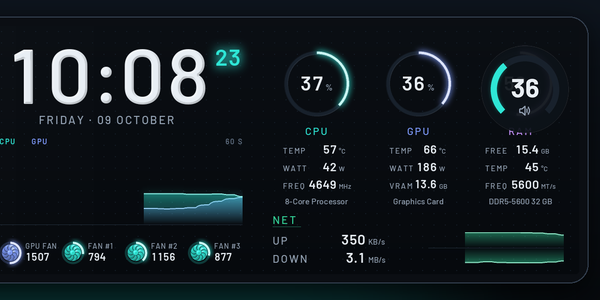
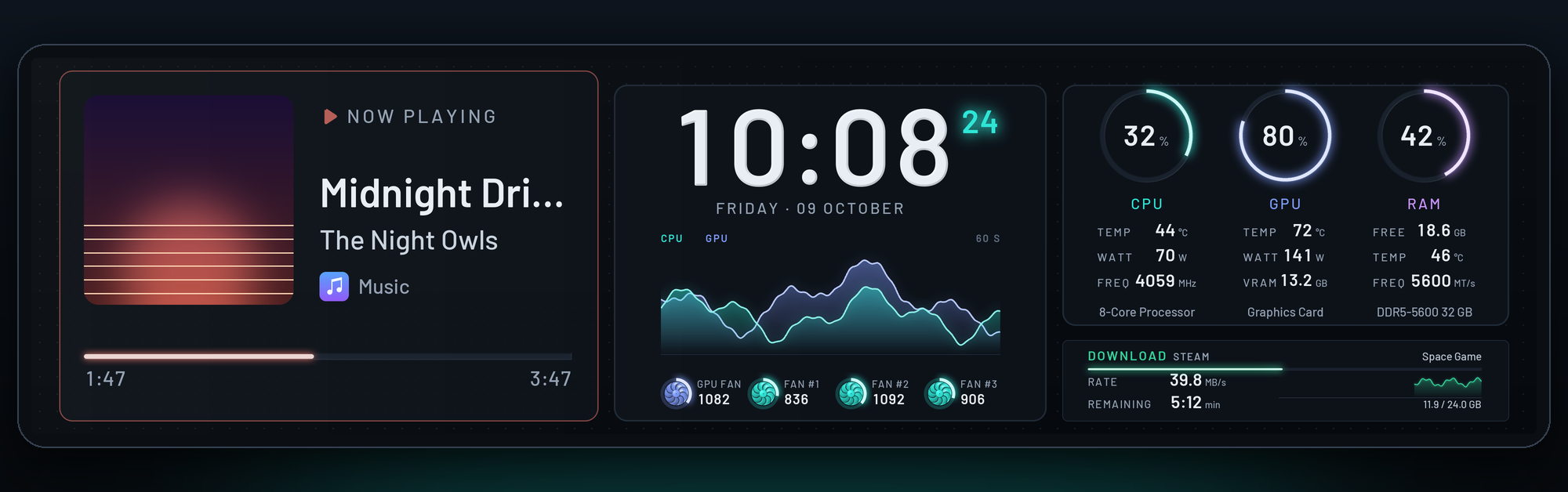
Lumen, Libre Panel's own theme, in video mode on a 9.2" panel, with demo values.

  • Works out of the box
  • Up to 50 fps on TURZX USB panels
  • 0.96" to 12.3", round and portrait
  • Windows and Linux
  • No account, no cloud
  • Up to four panels at once
  • Ten languages

Several panels at once

Up to four panels, in one beat

Each with its own theme, on the same readings and in the same beat, and with companions nothing is shown twice.

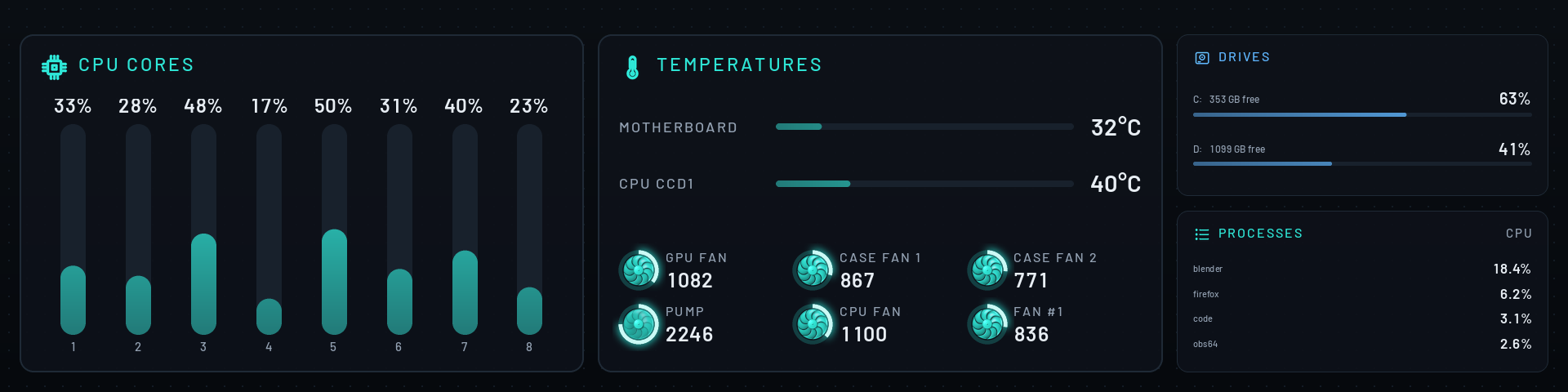
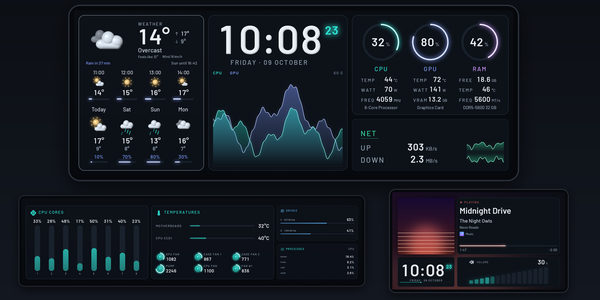
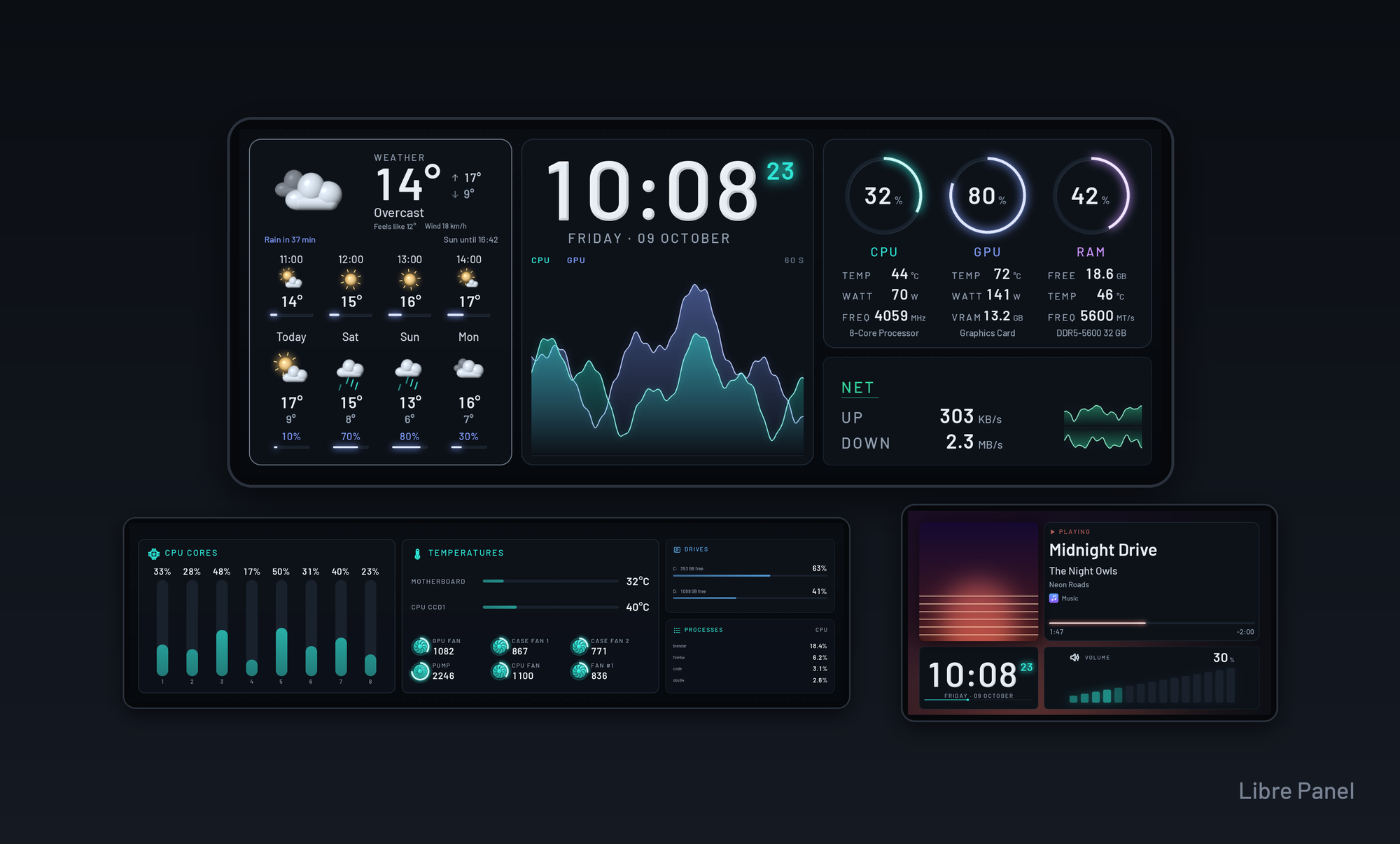
Three panels at once, where they stand: a 12.3-inch screen with Lumen (the weather, the time with the load, the rings and the network), under it a 9.2-inch bar with Lumen Companion (every core, the temperatures with the fans, the drives and the processes) and a 5.2-inch panel with Encore (what plays, the time and the volume)
  • Companions, nothing shown twiceA panel added beside Lumen gets Lumen Companion: every core, the temperatures with the fans turning, the drives and the processes, while Lumen leaves out what its companion shows. Encore, Almanac and Arena have companions too, and a companion follows the first panel into a game.
  • One picture across all panelsEach panel shows the part of it where it stands, under its theme.
  • ScenesA theme on every panel with one click, on Start, in the tray or with a keyboard shortcut.
  • Panel 1 | 2 | 3The app's header picks the panel Live shows and Design edits; a module moves from one panel to another.
  • Each its ownBrightness (or the first panel's, with an offset), the way it is mounted, its start screen, and a process of its own, so two panels in video mode wait for nothing.
  • In their real sizesSettings → Panels places them beside your monitor, and Add a panel asks step by step which panel it is, how it is mounted and what it shows.
When it gets hot

Every edge pulses red

When a sensor reaches its critical limit, every panel's edge pulses red, and a panel beside the first shows its alarm theme until it has cooled.

More

Live, the tray and the Overview show each panel, and Picture of all panels saves them where they stand, to share. Everything about it: More panels at once · Scenes

A 30-second tour

A panel that moves with your PC

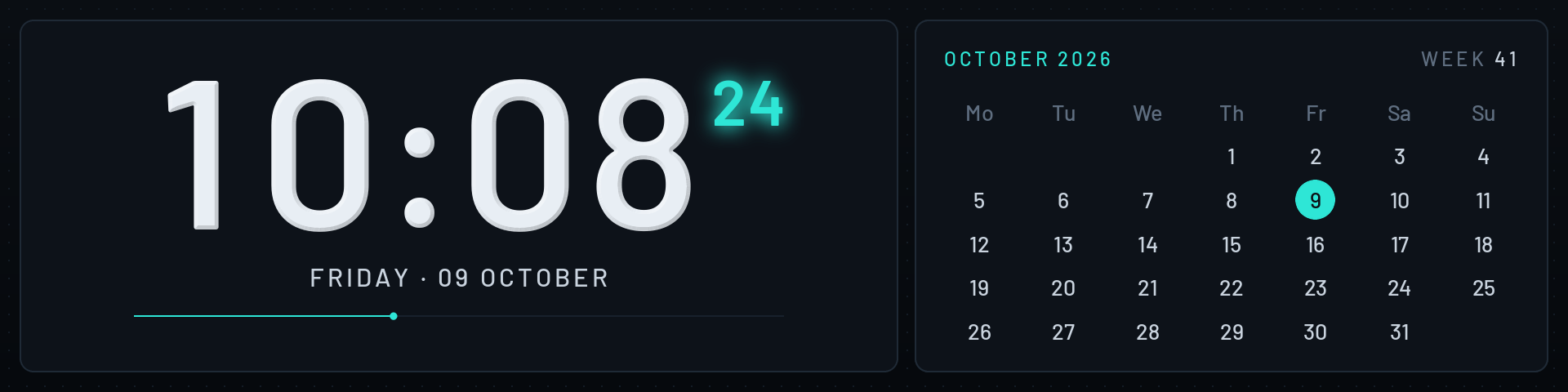
Every clip here is Libre Panel itself, recorded frame by frame with demo values: Lumen on the 9.2" bar, Studio for the notice, Encore, Nimbus and Almanac, two bars at once, Libre Default on a 3.5" panel, and the panel's own start screen as Libre Panel draws it.

Video mode

Up to 50 frames a second

TURZX USB panels have a video decoder, and Libre Panel feeds it a frame every 20 milliseconds: numbers count to each new reading, rings and bars glide, graphs scroll a little on every frame, and fans turn at their real speed.

More

The downloads carry the ffmpeg it needs, and it turns itself on on the 9.2". Panels without a decoder get still frames, sent where something changed.

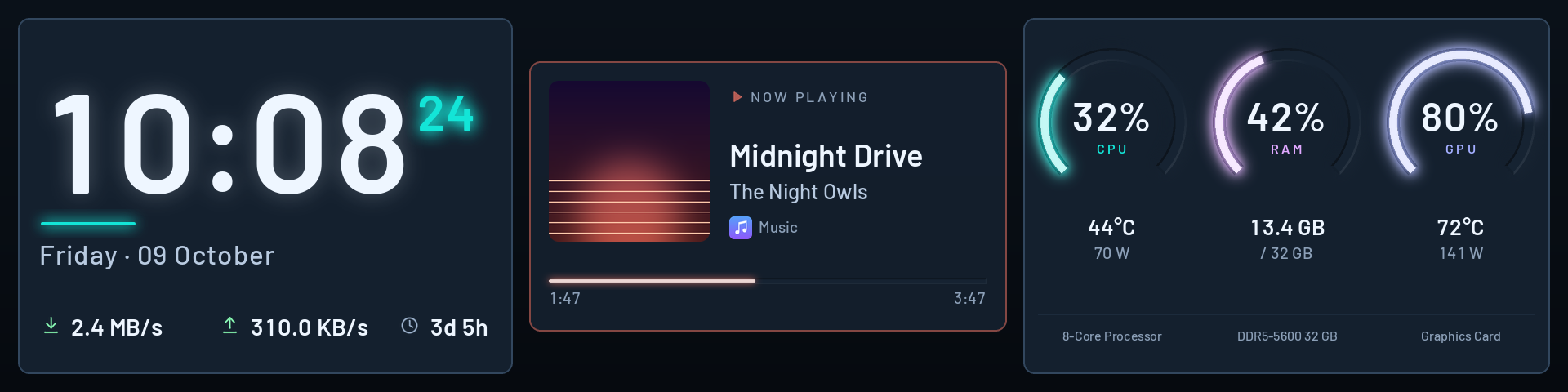
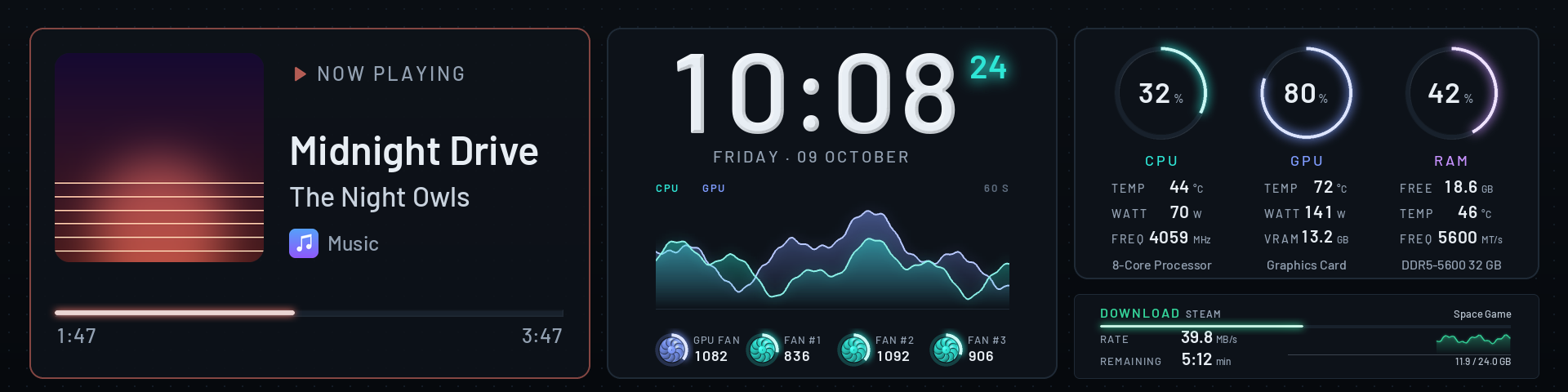
Lumen on a 9.2-inch panel: what is playing with its cover, the time with the load as light, the fans, and lit rings for CPU, GPU and RAM
The look

Values drawn as light

Rings, bars and graphs sit as light in a milled groove, lettering as faceted metal or lit acrylic.

More

One light for the whole panel glints on the frames and sweeps across on the hour, and fine dust drifts in the depth behind. Each finish is one click in Look: light, facet, acrylic or flat.

Cards

Cards that change by themselves

What is playing, with its cover and its progress; when nothing plays, the weather; when there is neither, the day.

More

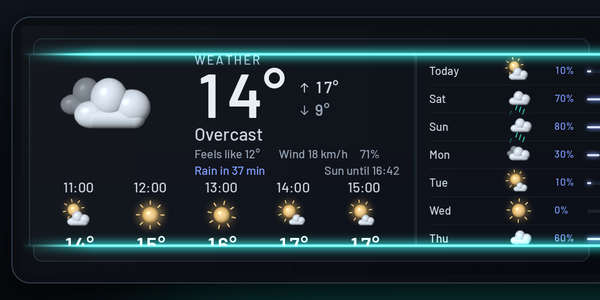
The weather comes with moving symbols, the next hours and the rain of the next two hours. A line of light ignites between two cards: one rolls up into it, the next rolls down. With the downloads service on, the network card shows a download in its place while one runs.

Notices

The volume, the way you like it

Turn the volume and it shows over every screen, in one of four looks: a bar along the edge, levels that rise, a ring that fills or a large number.

More

A new track with its cover, a sensor past a limit you set, a stick or a game controller plugged in: short notices in the colours of the theme. Your own scripts and a Stream Deck button can show one too, from this PC and with a key.

The notices and devices services are off until you switch them on; devices is for Windows. Notices from other programs wait until you allow them.

Game mode

An entrance for every game

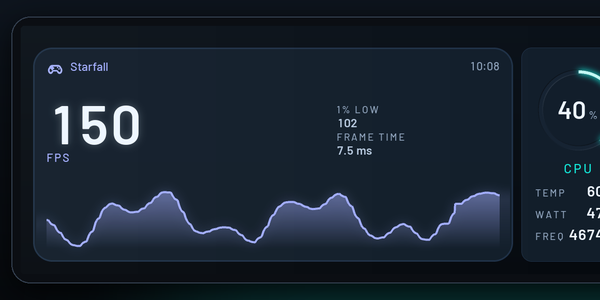
The screen closes to a line, the game's name lights up, and the game screen opens with the frame rate, its 1% low and who holds it back. After a round, an optional report compares it with your last ten.

More

Libre Panel finds the game you start, from a list of your own or your Steam library, and shows the time small in a corner. The frame rate comes from Intel's PresentMon (Windows), which the download carries.

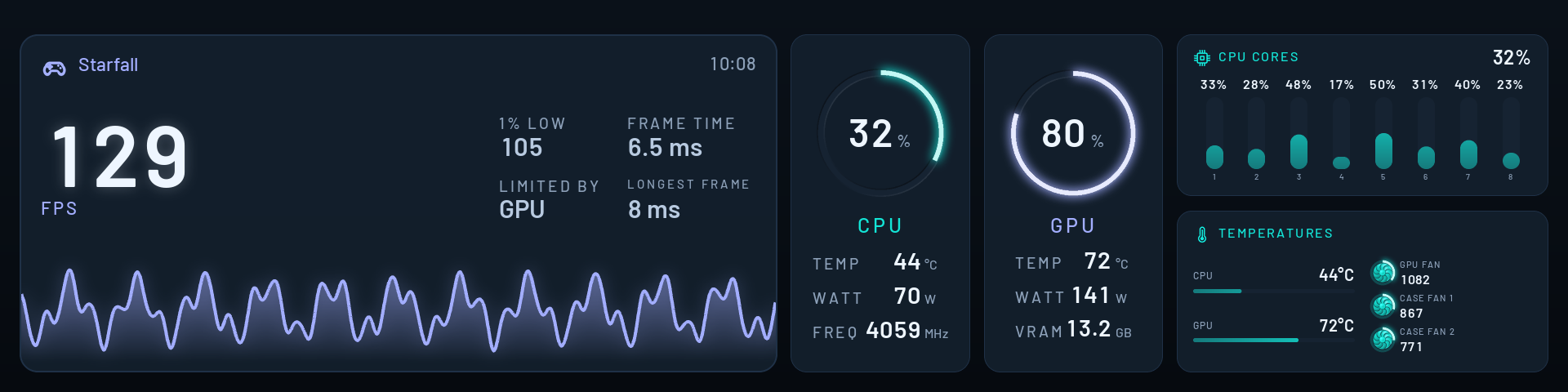
Arena, the game screen: the frame rate large with its 1% low, the frame time and what holds it back, its course, CPU and GPU as instruments, every core and the temperatures with the fans
Screens

For music, the weather and the time

Encore for music, Nimbus for the weather, Almanac for the time beside the month. Switched on in Design → Pages, Encore takes over while music plays and Almanac when you step away.

More

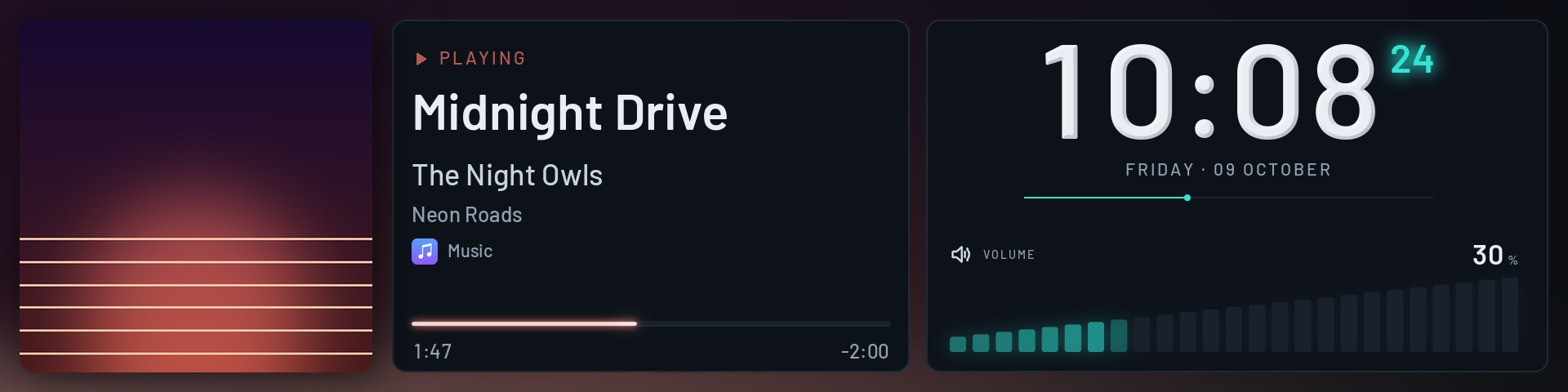
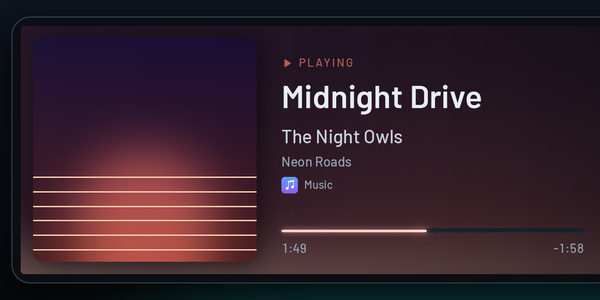
Encore puts the cover large and its colours behind the whole screen, the time with rolling digits beside it and the volume as levels that rise while you turn it.

Encore: the cover large with its colours behind the whole screen, the track, artist and album, the time and the volume as levels

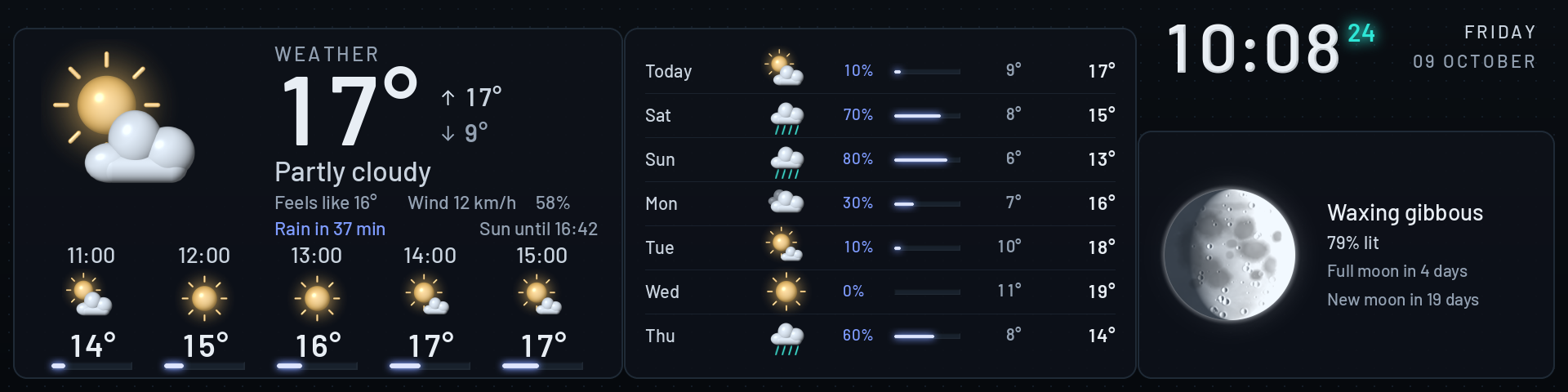
Nimbus has the weather now, the next hours and days, the moon as it is lit tonight and a small clock. Almanac is the time beside the month; Almanac Analog puts it on a face whose second hand glides.

Made for the 8.8" and 9.2" bars, and laid out anew for every other panel. With the music page on, Encore opens by itself:

Transitions

The next screen opens in a line of light

One theme for the desk, another while music plays, a third at night: the autopilot picks the theme by rules you write.

More

A line ignites at mid-height and opens onto the next screen, already live. The autopilot is a service too, off until you switch it on.

Studio: a large clock, the weather card with the next hours, and lit rings for CPU, RAM and GPU
Screens in turn

Five minutes this, ten minutes that, and round again

On Start, pick the screens, give each its seconds, minutes or hours, and the panel shows them one after another.

More

Each opens from a line of light, and from the top again after the last. A game, a notice or a theme a service asks for still comes first.

Start screen

The panel's own start, in Libre Panel's look

TURZX USB panels show a logo of their own when they are switched on and play a clip when the PC starts. Libre Panel draws both for the size of your panel and puts them on it with one click.

More

Both show before any app talks to the panel, and Libre Panel asks before it puts them on. Settings → Panel → Start screen. The factory logo stays on the panel and comes back with another click.

Bars on end

Upright, every screen laid out anew

Mounted the bar upright? Every screen then shows in its version for a bar on end, laid out anew rather than turned on its side.

More

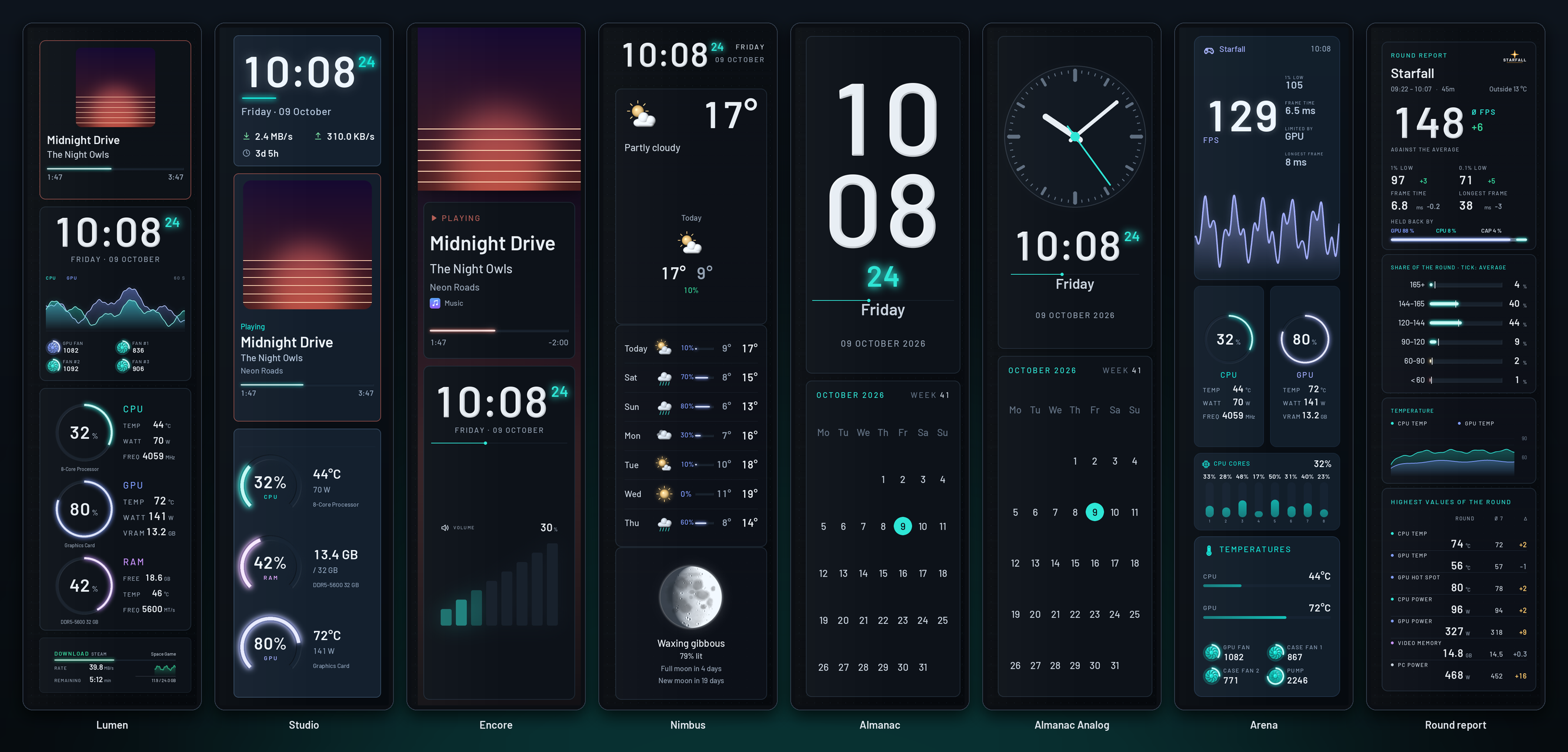
Say so on the first start, on Start or in the settings. Lumen, Studio, Encore, Nimbus, Almanac, Arena and the round report each have one, and the panel's own boot logo and standby clip stand upright too.

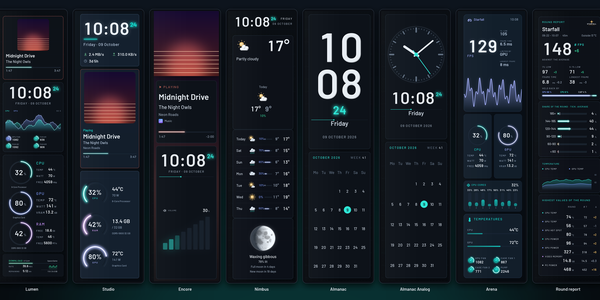
Libre Panel's screens for a bar on end side by side: Lumen, Studio, Encore, Nimbus, Almanac, Almanac Analog, Arena and the round report
AI activity

What Claude Code and Codex are doing

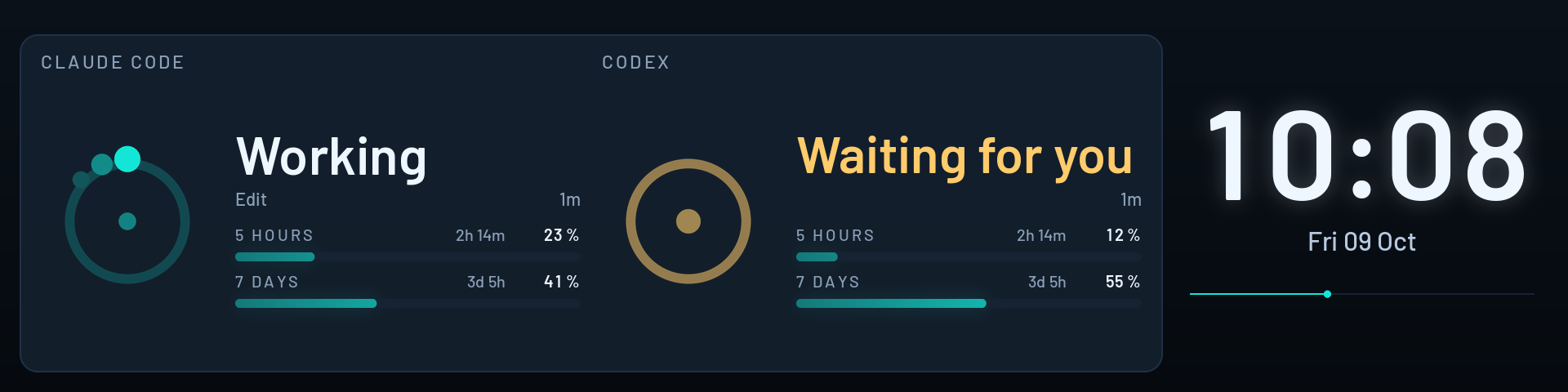
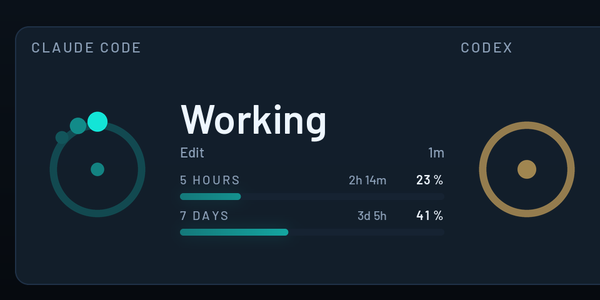
Working, waiting for you or idle, and how much of the plan's limits of five hours and of the week is used.

More

Each with a moving sign, the tool at work, and the time until the limits begin anew. Settings → Services → AI activity shows what it adds to the programs' settings before it writes, and takes it out again. Nothing leaves this PC.

Agents on a 9.2-inch bar: Claude Code working with the tool at work, Codex waiting for you, each with how much of five hours and seven days is used, beside the time
Every panel

From 0.96 inches to 12.3

Every theme moves to every panel and lays itself out for it, round and portrait ones included.

More

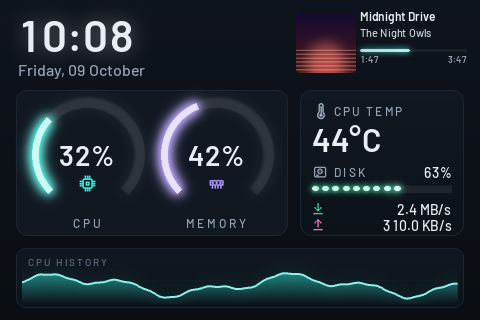
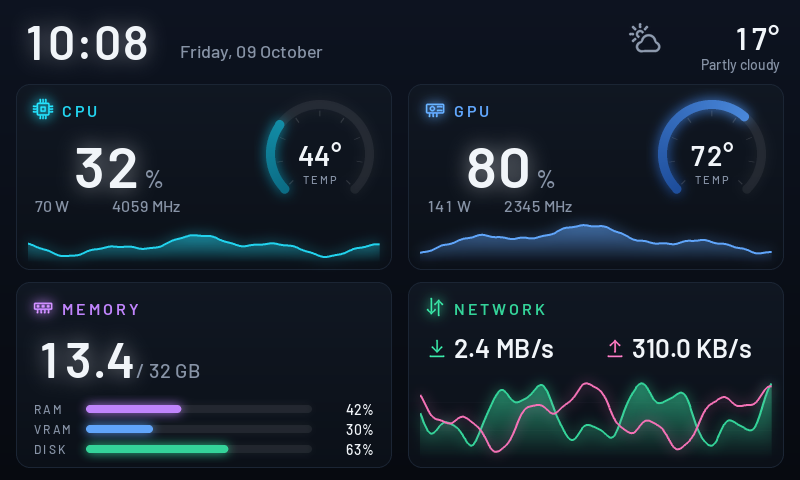
Libre Default, shown here on a 3.5" panel, is where every panel but the bars starts: lit rings, a history that scrolls and a small card in the corner.

The app

Everything in one window

Libre Panel's app opens in a window of its own and draws every picture with the panel's own renderer: what you see is what the panel shows. It speaks English, German, French, Spanish, Italian, Polish, Portuguese (Brazil), Russian, Japanese and Simplified Chinese, and keyboard shortcuts for the whole PC pause the panel, turn its brightness or open it from any window.

  • Start the panel and its themes
  • Design build a theme
  • Look colours, light, notices
  • Live how it runs, and its history
  • Settings all of config.toml
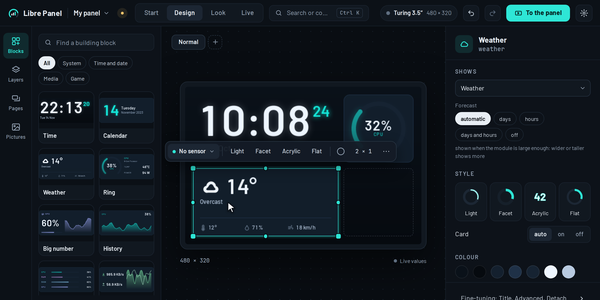
DesignDrag building blocks onto the panel. A module fits itself to the room you give it and shows more the larger it is: 35 of them, from every core to the ping, a timer, the power the PC draws and your next appointment.
LookSix colour worlds, how each part is drawn, the panel light, the dust, and how notices look, tried with a test notice.
Ctrl + KEvery command, theme, module, sensor and setting, found by a few letters.
Your hardware, by nameThe processor, graphics card and memory are named as they report themselves; type your own and every theme shows it.
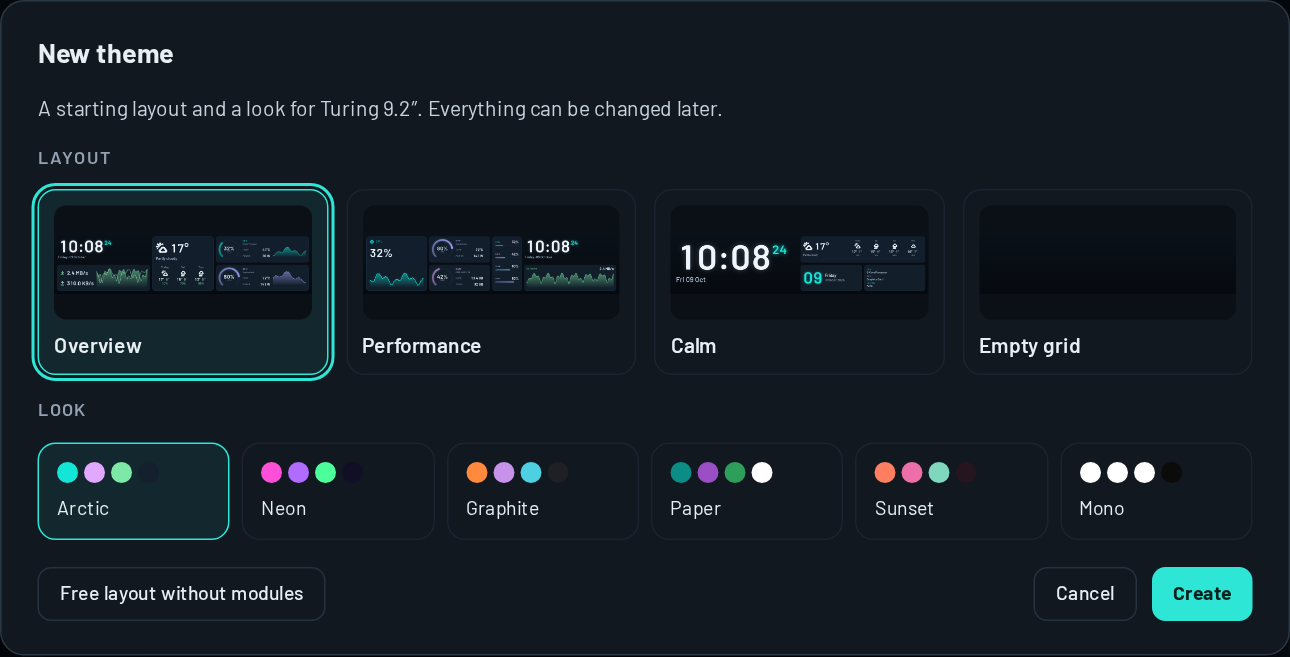
The New theme dialog: starting layouts for the 9.2-inch panel and six looks
A theme of your ownStarting layouts for your panel in six looks, or any theme as the start; everything can be changed later.

Themes

Libre Panel's own themes

Made for the panels they run on, and every one moves to every other panel size. The bars start with Lumen, every other panel with Libre Default.

Lumen
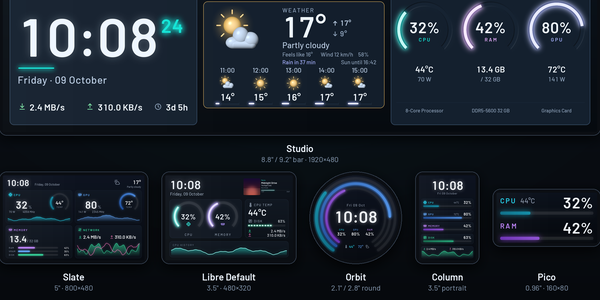
Lumen Default on the bars8.8" and 9.2" What plays, else the weather, else the day; the time with the load as light that scrolls past and the fans turning; lit rings for CPU, GPU and RAM named after your hardware.
Studio
Studio 8.8" and 9.2" Calm: a large clock, the card slot and lit rings for CPU, RAM and GPU.
Encore
Encore 8.8" and 9.2" For music: the cover large and its colours behind the whole screen, the time with rolling digits, the volume as levels that rise.
Nimbus
Nimbus 8.8" and 9.2" For the weather: now and the next hours, the next days, the moon as it is lit tonight and a small clock.
Almanac
Almanac 8.8" and 9.2" A clock with the month: the time large beside the month with today and the week; Almanac Analog has a face whose second hand glides.
Arena
Arena 8.8" and 9.2" For game mode: the frame rate large with its 1% low, the frame time and what holds it back, CPU and GPU as instruments, every core and the temperatures.
Lumen Companion
Lumen Companion Beside Lumen8.8" and 9.2" For a second panel: every core, the temperatures with the fans turning, the drives and the processes. Arena, Encore and Almanac have companions too.
Agents
Agents 8.8", 9.2" and 12.3" What Claude Code and Codex do, and how much of the plan's limits is used, beside the time; Agents Claude shows Claude Code alone.
High Contrast
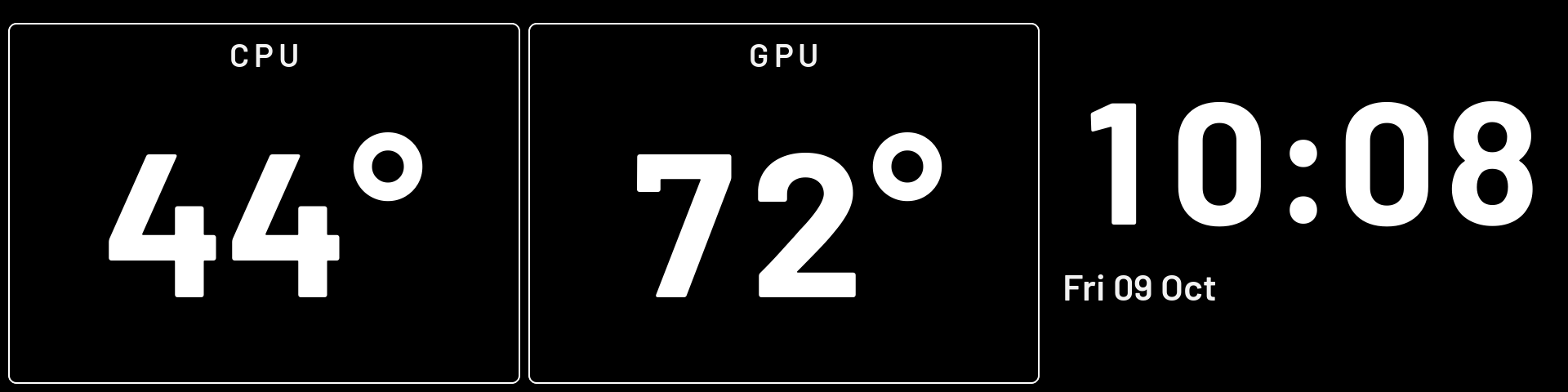
High Contrast 2.1" to 12.3", upright too White on black in very large digits, to read from across the room: the processor's and the graphics card's temperatures, orange when warm and red when hot, and the time.
Libre Default
Libre Default Default3.5" Two lit rings, temperature, disk and network, a history that scrolls.
Slate
Slate 5" Four cards: CPU, GPU, memory and network.
Orbit
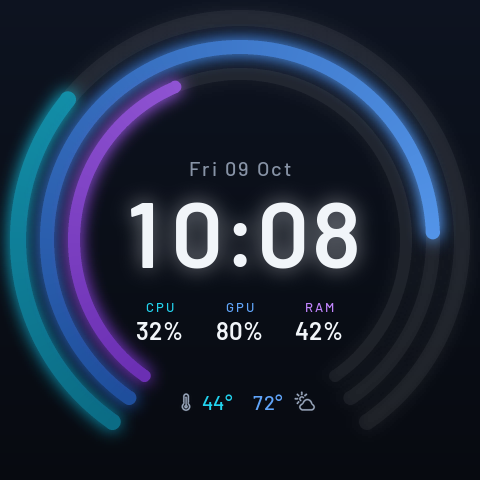
Orbit round 2.1" and 2.8" Three rings around a large clock.
Column
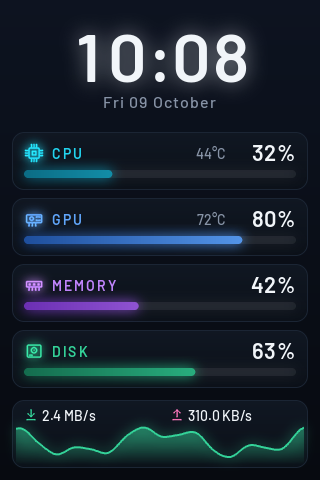
Column 3.5" portrait The clock, a row per resource and the network.
Pico
Pico 0.96" CPU with its temperature, and memory, for the smallest stick.
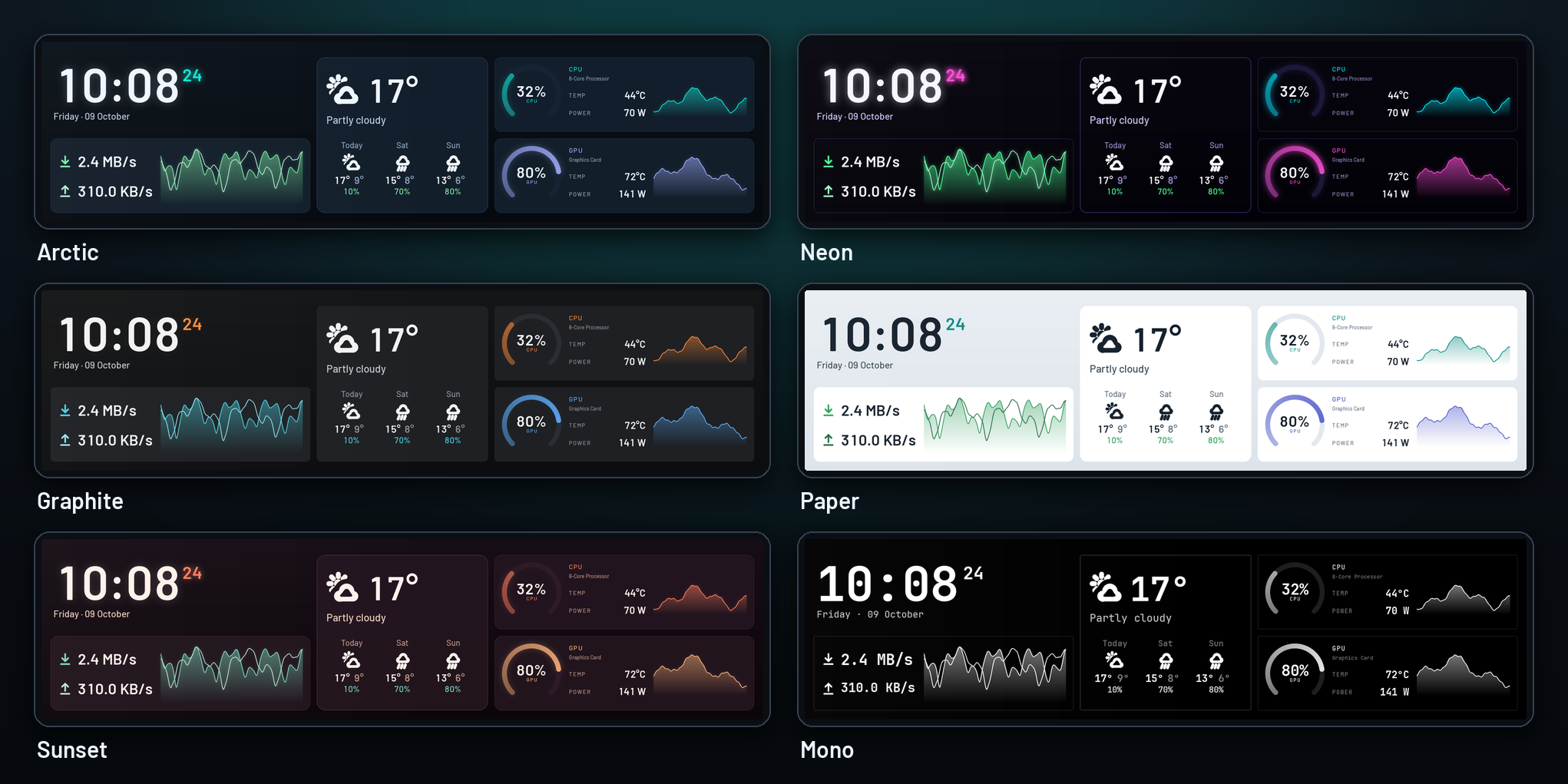
The same layout in six looks: Arctic, Neon, Graphite, Paper, Sunset and Mono
Your own 35 modules · 6 looks Start from a layout or any theme. Themes are plain JSON with their pictures and fonts, cannot run code, and are easy to share.

Also built in: the eight screens of SPUR II, the project Libre Panel grew out of, as a legacy collection, and the round report. Where it started

Fits every PC

Named after your hardware, with nothing left blank

  • The processor, graphics card and memory under the names they report, found by Libre Panel itself without administrator rights, or the names you type.
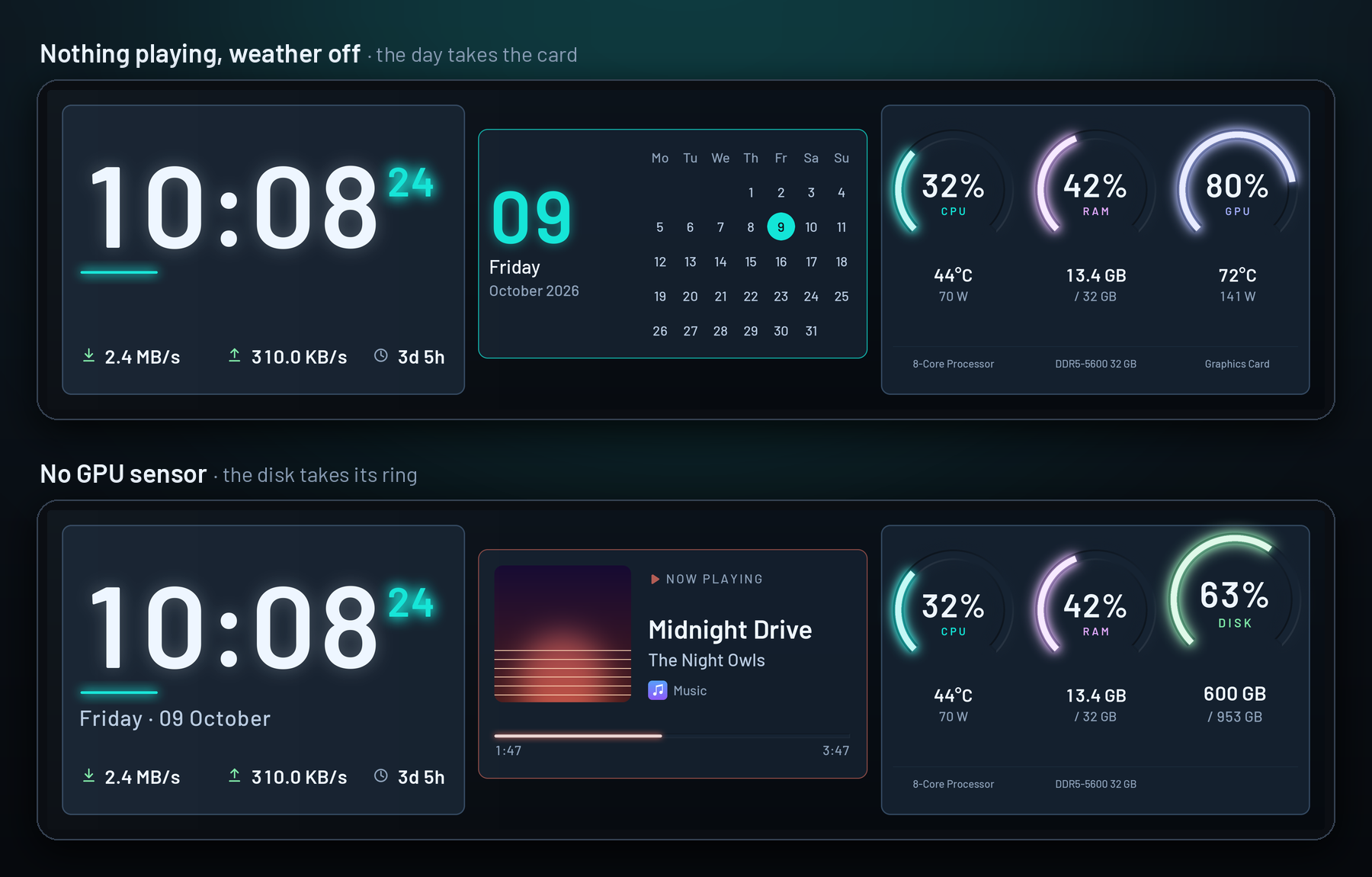
  • A part steps aside when its readings are missing: the disk takes the ring of a graphics card that reports nothing.
  • Nothing playing and no weather: the card shows the day.
  • Dates and weather in ten languages, for the place you set.
Studio with nothing playing and the weather off, where the day takes the card, and on a PC without a GPU sensor, where the disk takes its ring

Out of the box

Everything it needs comes with it

Sensors, fans, graphics card, game frame rates (Windows) and the 50 fps video mode need no other program. The downloads carry what the features run, in a tools folder: ffmpeg for the video mode, and on Windows PresentMon and the installer of the PawnIO driver. One setup step does the rest.

Asked once, then it runs. Windows asks for administrator rights once, for the setup or for Unlock all sensors; on Linux your system asks for your password once. Libre Panel itself runs without administrator rights. The sensor service only reads: it sets no fan and changes no setting of the hardware, and network logons are refused. How it is kept safe · Licences and sources of the programs

What each download sets up, the sensors and the services
WhatWindows setupPortable zipLinux AppImage
Processor, mainboard, memory and drive sensors The sensor service and the PawnIO driver, two checked boxes Unlock all sensors on Start and in Settings → Sensors sets up the same The processor and NVMe drives are read without rights; Set up sensors and panel access loads the kernel's drivers for the board's fan chip and for SATA drives
Processor power Read by the sensor service The same A switch in that card, off until you turn it on
Graphics card Built in (LibreHardwareMonitor) Built in AMD, Intel and NVIDIA, read without rights
Game frame rates PresentMon is in the download; the third box adds you to Performance Log Users PresentMon is in the download; Unlock all sensors adds you Windows only
50 fps video mode ffmpeg is in the download ffmpeg is in the download ffmpeg is in the download
The panel's USB access Nothing to do Nothing to do The same card writes the udev rule

Sensors

Read only while a theme or a service shows them.

  • LibreHardwareMonitor, built inWindows GPU, temperatures, power and fans, read inside Libre Panel with no other program. The sensor service adds the CPU's temperature, power and clock, the mainboard's fans, and the memory and drives.
  • The kernel's own sensorsLinux Processor, graphics card (AMD, Intel, NVIDIA) and NVMe drives, read from the kernel and NVIDIA's driver: no extra program, no lm-sensors. The mainboard's fans need one click.
  • Load ten times a second CPU and GPU load as it happens, the GPU as Task Manager shows it, and the volume on every frame.
  • What is playing Title, cover and the player's icon, from Windows' media controls or any MPRIS player on Linux.
  • Weatheroff From Open-Meteo, with the next hours and the rain of the next two hours; no API key.
  • And more Every core, drive and fan, the ping to up to four hosts, a UPS through Network UPS Tools, values from JSON, calendars, Home Assistant, MQTT, sunrise and the moon, PresentMon for games, and MangoHud on Linux.

Services

Built in, and each one off until you switch it on.

  • NoticesoffThe volume, a new track, sensors past your limits, a panel that restarted.
  • Game modeoffFinds the game and switches with the entrance.
  • Memory and round reportoffThe desk's history in a file on this PC, and a report after each round.
  • Cooling analysisoffChecks FanControl's curves against what the PC did; reads, never writes.
  • DownloadsoffSteam and browser downloads for the network card.
  • AI activityoffWhat Claude Code and Codex do, from their own hooks, on this PC only.
  • Timer and power useoffFocus and break in turn; the watts the PC draws, kWh and what they cost.
  • AutopilotoffPicks the theme by the rules you write.
  • DevicesoffDrives, USB devices and controllers that come and go (Windows).

Panels

The panels it drives

Every one plugs in with USB. TURZX USB panels are USB devices with a video decoder; the older kind shows up as a virtual COM port, and the newest here are USB devices of their own.

PanelSizesConnects asStatus
Turing / TURZX1.6", 2.1" round, 2.8" round, 4.6", 5.2", 8", 8.8", 9.2", 12.3"USB device, video mode Verified on the 9.2", 8.8" and 12.3"Hours of stills and 50 fps video on the 9.2", the 8.8" and 12.3" as their owners report; the other sizes speak the same protocol
Turing Smart Screen2.1" round, 3.5", 5", 8.8"virtual COM portRuns on the 3.5" and 8.8"As their owners report; the 2.1" and 5" are unverified
UsbPCMonitor3.5", 5", 7"virtual COM portUnverified
XuanFang3.5"virtual COM portUnverified
Kipye Qiye3.5"virtual COM portUnverified
WeAct Display FS V10.96", 3.5"virtual COM portUnverified
New here, and run by nobody yet: JONSBO, Lian Li, Hongtai and VMAX
PanelSizesConnects asStatus
JONSBOZC-360 fan screens (3 × 3.38"), TF3-360SC pump (3.5"), DS916 (9.16"), DS339 (3.39")USB devicesNew, unverifiedDrivers after other projects' notes, without smooth motion
Lian LiUniversal Screen 8.8" and 9.2", HydroShift II LCD and OLED CurveUSB device, JPEG picturesNew, unverified
Hongtai / Jungle Leopard960×480, the strip 1920×462 (Chill Arc 360 and other screens on its firmware)USB serial port, JPEG picturesNew, unverified
VMAX4.6", 960×320USB display chip (MS9132)New, unverifiedChoose the model: not found by "auto"

Own one marked unverified? Its driver follows a protocol proven on real panels, but nobody has confirmed the model with Libre Panel yet. The panel test in the app (Live → Diagnose, or libre-panel doctor) checks it end to end and writes a report without serial numbers; one click opens a panel report with it filled in, and the model becomes supported for everyone. All panels and their setup

The panels on a virtual COM port are slower. They are the older kind. Libre Panel keeps their motion calm by itself: a picture a second, of which it sends only the parts that changed, so numbers, bars and the clock keep up. Graphs move on a step a second, numbers change without gliding, the weather symbols stand still, and a new theme builds up for a moment. Settings → Panel → Motion on the panel turns full motion on for a panel that keeps up with it. For the most motion, the TURZX USB panels are the ones to have.

Privacy

Nothing leaves your PC that you have not turned on.

No account, no telemetry. The app is served to your own PC only, and only to requests that carry a secret token, new at every start.

What goes where, one by one
  • The weatherOff until you set a place; then only its coordinates go to Open-Meteo, every 15 minutes. A place you look up by name is sent when you press Search, and kept to about a kilometre.
  • New versionsStart asks once whether to look. Say yes, and once a day one request asks GitHub for the latest release; it carries the version you have, nothing about you or your panel.
  • What you connect yourselfCalendars, Home Assistant, MQTT, a JSON address and a UPS talk to the addresses you give them. The ping connects to 1.1.1.1 (or the hosts you set) while a theme shows it, and a cover a player names by a web address is loaded from there.
  • AI activityOff until you switch it on and set up Claude Code or Codex. Their hooks hand what they do to Libre Panel on this PC only; for the plan's usage Libre Panel asks the programs, which ask their own servers with your sign-in.
  • The optional servicesKeep what they learn on this PC, in a file you can open or delete. FanControl's configuration is read, never written. No track title, window title or file name is read.
  • Your hardware's namesNever go to the log, and the report of libre-panel doctor has no serial numbers and no personal paths.

Install

Install and first start

No Python needed. From the latest release on GitHub.

Windows 10 and 11

A setup for all users: a start menu entry, an optional start at login and three checked boxes that say what each is, the sensor service, the PawnIO driver and what game frame rates need. Windows asks once for administrator rights; Libre Panel itself runs without them. Install for me only is still possible. The uninstaller keeps your settings and themes. A portable zip too: its Unlock all sensors sets up the same.

Download the setup Not code-signed yet: SmartScreen asks once (More info → Run anyway).

Linux

An AppImage for x86-64: make it executable and start it, no installation. Start offers to let your user use the panel and to load the driver of the mainboard's fan chip, with one click and one password. A tarball too.

Download the AppImage The AppImage opens the app in the browser for now. Setup per system
  1. Close the vendor appIt keeps the panel to itself.
  2. Start Libre PanelWith the panel plugged in. A TURZX USB panel is found by itself; on Linux, Start offers the panel's permission with one click.
  3. Pick a lookStart asks "How should it look?" with the themes made for your panel.
  4. Turn on what you wantThe weather, video mode and the services in Settings; the tray icon has the rest.

With Python instead:

pipx install "libre-panel[usb,serial,tray] @ git+https://github.com/syntensa/libre-panel@v0.7.0"
libre-panel tray               # the background app with its tray icon
libre-panel doctor             # check your panel, write a report

FAQ

Questions

Which panel do I have?

The product name and the back label usually say it. Plugged in, libre-panel devices lists what it sees: a TURZX USB panel shows up with the USB id 1cbe:… and its size, the others as a virtual COM port. Start in the app names the panel it found, and Another panel lets you choose. When in doubt, libre-panel doctor asks and checks.

Why do the CPU temperature and power show -- on Windows?

The Windows downloads read the graphics card, power and fans with the LibreHardwareMonitor library built in. The processor's temperature, power and clock, the temperatures of memory and drives and the mainboard's fans also need administrator rights and the PawnIO driver, which the download carries. Libre Panel's sensor service has both, and the setup installs the two (the checked boxes Sensor service and PawnIO driver), so after the setup nothing is left to do.

You see -- only where that part was not set up: after Install for me only, or with the portable zip. Unlock all sensors on Start, or in Settings → Sensors, sets it up with one question of Windows, and Libre Panel itself goes on without administrator rights (how it is kept safe). With a pip install there is no service: install PawnIO and run libre-panel autostart enable --elevated in a terminal opened as administrator, but only where only administrators can change Libre Panel's files (why). A LibreHardwareMonitor you run yourself with its web server works too.

How do I get the smooth video mode? Do I need ffmpeg?

Video mode is for the TURZX USB panels, which have a video decoder. The Windows and Linux downloads carry the ffmpeg it needs, so you only name the panel's standby clip, as the vendor app shows it, in Settings → Panel. On the 9.2" it then turns itself on; on the other TURZX USB panels, set it to on to try it. With a pip install, install ffmpeg yourself (Windows: winget install ffmpeg; Linux: your distribution's package). Nothing is saved on the panel (details).

Do I need LibreHardwareMonitor, FanControl or PresentMon?

No other program is needed: LibreHardwareMonitor and Intel's PresentMon are in the Windows downloads. The Game frame rate source is on by default on Windows and counts a game's frames while a theme shows them. PresentMon needs administrator rights or your account in the Windows group "Performance Log Users", which the setup's third box (or Unlock all sensors) arranges; it applies from your next sign-in (how). The cooling analysis reads FanControl's fan curves, if you use FanControl.

Can it harm my panel?

Libre Panel sends display commands only: pictures, brightness, video. It never touches the firmware and stores nothing on the panel; firmware updates stay the vendor app's job.

Does it run on macOS?

Not since 0.5: Windows and Linux are supported, and nobody downloaded the macOS builds of earlier releases.

Where it started

It began as SPUR II, on one 9.2" panel

Libre Panel grew out of SPUR II, a private dashboard for one panel on one PC. SPUR II proved the panel's USB protocol and its video mode on real hardware, and its ideas (light in milled grooves, the cards, the band, the tube) are now Libre Panel's own, for every panel and every PC.

Its eight screens ship as the legacy collection SPUR II, at the end of Start → All.